
Googleのナノバナナプロプロ育成ガイド:10のヒント(中国語版&英語版)
Googleのナノバナナプロプロ育成ガイド:10のヒント(中国語版&英語版)
GoogleのNano Banana Proガイドでは、プロフェッショナル向け画像生成モデルであるNano Banana Proの主要機能と応用テクニックを紹介しています。この記事では、テキストレンダリングなど、プロフェッショナル向けアセット生成におけるこのモデルの画期的な点について重点的に解説しています。
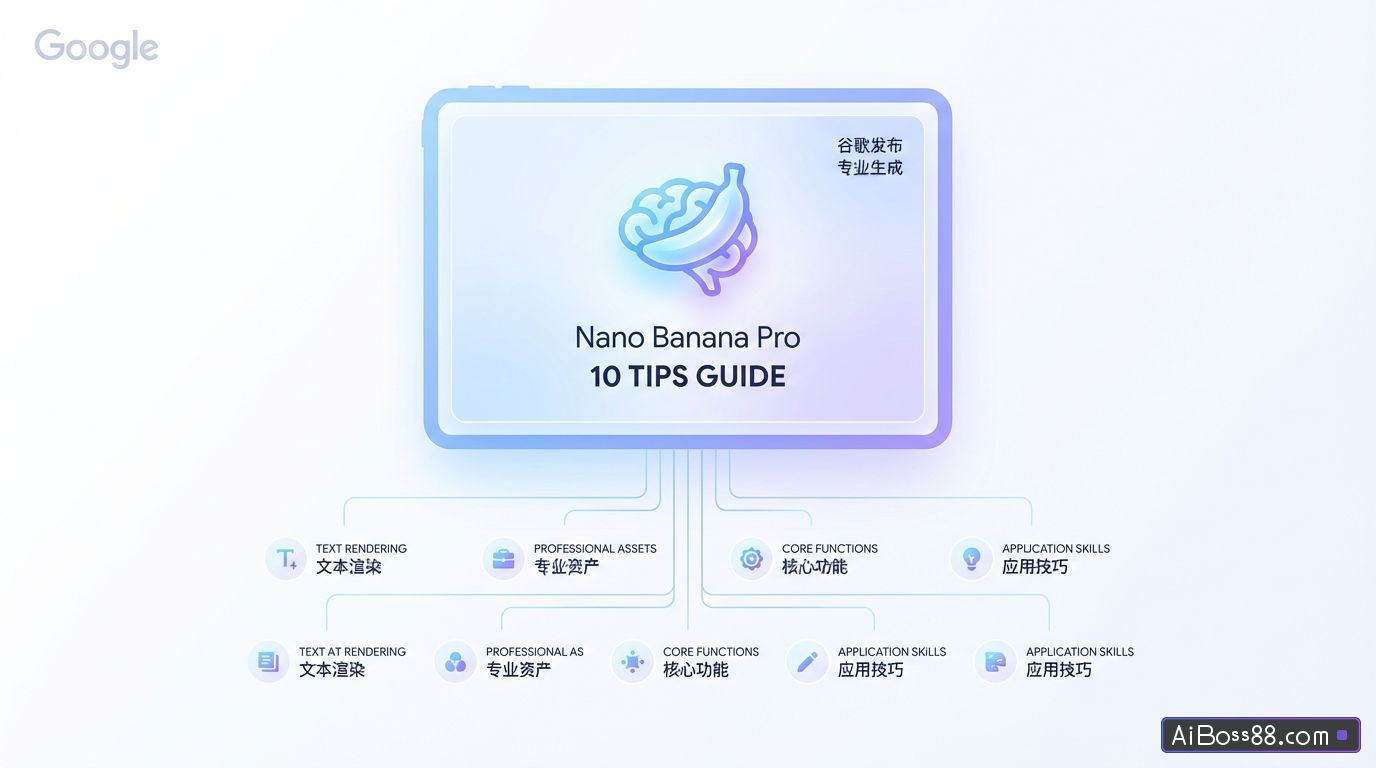
GoogleのNano Banana Proガイドでは、プロフェッショナル向け画像生成モデル「Nano Banana Pro」の主要機能と応用テクニックを紹介しています。この記事では、テキストレンダリング、文字の一貫性、ビジュアル合成、Google検索との連携、高度な編集、2D/3D変換、高解像度出力など、プロフェッショナル向けアセット生成におけるNano Banana Proの画期的な機能に焦点を当て、10の主要機能を網羅しています。各機能について詳細なベストプラクティス例を提供し、ユーザーがクリエイティブディレクターのように自然言語コマンドを使ってモデルを操作し、高品質な商用レベルの画像コンテンツを効率的に作成する方法を解説しています。
Nano-Banana Proこれは、以前の世代と比較して大きな飛躍であり、「エンターテインメント志向」の画像生成から「機能的」なプロフェッショナルなアセット作成へと進化したことを意味する。テキストレンダリング、文字の一貫性、視覚的な構成、世界に関する知識(検索)、高解像度(4K)出力において優れています。
この記事には以下の内容が含まれています。:
0. プロンプトキーワードの黄金律
1. テキストレンダリング、インフォグラフィック、およびビジュアル合成
2. 役割の一貫性とウイルスの拡散に関する概要
3.Google検索を使用して真正性を確認する
4. 高度な編集、修復、および着色
5. 次元変換(2D) ↔ 3D)
6. 高解像度とテクスチャの強調
7. 思考力と推論能力
8. 単発のストーリーボードとコンセプトデザイン
9. 構造制御およびレイアウトガイダンス
黄金律のためのヒント
Nano-Banana Proは、キーワードを照合し、意図、物理法則、構図を理解する思考型モデルです。最適な結果を得るには、従来のラベル指示(例:犬、公園、4K、リアル)を捨て、デザインパートナーとして活用してください。
再生よりも改良の方が優れている
このモデルは、会話形式の修正指示を理解することに優れています。画像が既に期待値の80%を満たしている場合は、ゼロから新しい画像を生成する必要はありません。具体的な調整要件を伝えるだけで済みます。
例えば、「効果は良好です。照明を夕焼けのような雰囲気に調整し、テキストの色をネオンブルーに変更してください。」
自然な言葉遣いと完全な文構造を使用してください。
まるで人間のデザイナーに自分のニーズを説明するかのように、モデルと向き合ってください。標準的な文法と生き生きとした形容詞を使用してください。
❌ 否定的な例:「かっこいい車、ネオンライト、街、夜、8K」。
✅ 好例:「映画のような広角ショット:未来的なスポーツカーが雨の降る夜の東京の街を疾走し、ネオンライトが濡れた路面と車の金属製シャーシに反射してまばゆいばかりの光景を作り出している。」
説明は具体的かつ明確でなければならない。
指示が曖昧であればあるほど、効果は悪くなります。被写体、環境、照明、雰囲気などを明確に定義してください。
本体単に「淑女」と言うのではなく、「ヴィンテージのシャネル風スーツを着た、上品な年配の女性」と表現すべきである。
材料質感の説明が必要です。例えば、「マットな質感」、「つや消しステンレススチール」、「柔らかなベルベット」、「しわくちゃの紙」などです。
背景情報(「なぜ」「誰のために」)を提供してください。
このモデルは「考える」能力を持っているため、文脈を提供することで、論理的な芸術的判断を下すのに役立つ。
例「高級ブラジル料理レシピ本に掲載するサンドイッチの画像を作成してください。」(この指示から、プロによる盛り付け、浅い被写界深度、完璧な照明が必要であるとモデルは推測します。)
テキストレンダリング、インフォグラフィック、ビジュアル構成
Nano-Banana Proは高度な生成機能を誇り、鮮明で読みやすく、スタイリッシュなテキストを生成し、複雑な情報を視覚的な形式に統合します。
ベストプラクティスに関する推奨事項:
- 情報圧縮このモデルは、密度の高いテキストやPDFコンテンツを視覚的なグラフに「圧縮」するように要求できます。
- スタイル仕様「エレガントな雑誌レイアウト」「技術図面」「手描きのホワイトボードスタイル」など、希望するスタイルを明確に指定してください。
- テキスト引用表示する必要のある特定のテキストを明確に示すには、引用符を使用してください。
プロンプトワードの例:
財務諸表インフォグラフィック(データ入力):
[最新のGoogle検索結果を入力してください]財務報告[PDFファイル]
「この財務報告書の主要な財務ハイライトをまとめた、簡潔で現代的なインフォグラフィックを作成してください。売上高成長率と純利益のグラフを含め、CEOの重要な発言をスタイリッシュな引用ボックス形式で強調表示してください。」
レトロなインフォグラフィック:
「1950年代風のレトロなインフォグラフィックを作成し、アメリカのレストランの歴史を紹介してください。インフォグラフィックには、『料理』、『ジュークボックス』、『内装』などのセクションを分けてください。すべてのテキストは、明瞭で読みやすく、当時のスタイルに合致していることを確認してください。」
技術図面:
「建物の平面図、立面図、断面図を含む正投影図を作成してください。『北立面図』と『正面玄関』は、専門的な建築用フォントを使用して明確に表示してください。フォーマットは16:9としてください。」
ホワイトボードを使った要約(教育目的):
「トランスフォーマーニューラルネットワークアーキテクチャ」の概念は、大学の講義に適した手描きのホワイトボード図を用いて要約されている。エンコーダーモジュールとデコーダーモジュールは異なる色のマーカーで示され、「自己注意機構」と「フィードフォワード」が明確に示されている。
役割の一貫性とバイラルなサムネイル
Nano-Banana Proは最大14枚の参照画像(うち6枚は高解像度)をサポートしています。これにより、「人物ロック」機能が実現し、特定の人物やキャラクターを顔の特徴を維持したまま、新しいシーンにシームレスに配置することが可能になります。
ベストプラクティスに関する推奨事項:
- 本人確認ロック明確な指示は、「人物の顔の特徴が図1の顔の特徴と完全に一致するようにしてください」です。
- 顔の表情と動作ユーザーは、特定の人物像にロックをかけている間、感情や姿勢の変化を自由に描写することができる。
- ウイルスの構成主要なテーマと目を引くグラフィックやテキストを一体化することで、強い伝達力を持つ構成を生み出している。
例のプロンプト:
「バイラルサムネイル」(ロゴ+テキスト+画像):
図 1 の人物を使用して、バイラル動画のサムネイルをデザインします。顔の一貫性: 人物の顔の特徴は図 1 と同じままにしますが、表情を変えて、興奮して驚いているように見せます。アクション: 人物をフレームの左側に配置し、指を右に向けさせます。被写体: 美味しそうなアボカドトーストの高解像度画像を右側に配置します。グラフィック: 人物の指とトーストをつなぐ、目を引く黄色の矢印を追加します。テキスト: 中央に目を引く流行のテキスト「3minuteFudede!」を重ねます。太い白い線と影を使用します。背景: ぼやけた明るいキッチンの背景。彩度とコントラストを高くします。
「毛むくじゃらの友達」シナリオ(グループの一貫性):
[異なるぬいぐるみの写真を3枚入力してください]
毛むくじゃらの友達3匹が南国へバカンスに出かける、楽しい10ページの物語を描いてください。物語はワクワクするようなサスペンスに満ちた展開で、最後は心温まる結末を迎えるようにしてください。3匹のキャラクターは同じ服装と外見を保ちつつ、表情やアングルは10枚のイラストを通して変化させてください。各キャラクターは各イラストに1回ずつ登場するようにしてください。
ブランド価値の創造:
[商品画像を入力してください]
「受賞歴のあるファッション誌のグラビアを彷彿とさせる、魅力的なファッションエディトリアルを9点制作してください。これらを参考に、貴社ブランドのスタイルを確立し、プロフェッショナルなデザインを際立たせるために、微妙な調整やバリエーションを加えてください。1点ずつ制作し、合計9点の作品を完成させてください。」
Google検索を使用して真正性を確認する
Nano-Banana ProはGoogle検索にアクセスし、リアルタイムデータ、最新の出来事、またはファクトチェックに基づいて画像を生成することで、時間的制約のあるトピックに関する情報エラーを削減します。
ベストプラクティスに関する推奨事項:
- 動的なデータ(天気、株式市場、ニュースなど)を視覚化する必要がある場合がある。
- 画像を生成する前に、モデルは検索結果について「考え」(推論し)、それから生成を開始します。
例のプロンプト:
イベントの可視化:
「現在の旅行トレンドに基づいて、2025年にアメリカの国立公園を訪れるのに最適な時期を示すインフォグラフィックを作成してください。」
高度な編集、修復、および着色
このモデルは、対話型のコマンドを通じて複雑な編集作業を実行することに優れており、「部分的な再描画」(オブジェクトの削除/追加)、「画像復元」(古い写真の復元)、「インテリジェントなカラー化」(漫画/白黒写真)、および「スタイル転送」などが可能です。
ベストプラクティス:
- 意味論的指示マスクを手動で適用する必要はありません。変更内容を自然な言葉で説明するだけで結構です。
- 物理論理の理解物理シミュレーションを生成する能力をテストするために、「グラスに液体を満たす」といった複雑なコマンドを生成することができる。
プロンプト例:
オブジェクトの削除と完了:
「この写真の背景から観光客を取り除き、周囲の環境に合うような適切な質感(小石や店先など)で空間を埋めてください。」
コミック/コミックの塗り絵:
【白黒コミックのストーリーボードを挿入】
「この漫画のコマに色を付けてください。鮮やかなアニメ風の配色を使用してください。エネルギービームの照明効果はネオンブルーにし、キャラクターの服の色は公式の配色に合わせるようにしてください。」
ローカリゼーション(テキスト翻訳+文化的適応):
[ロンドンのバス停広告の画像を入力してください]
「このコンセプトを東京の舞台に合わせてローカライズしてください。スローガンを日本語に翻訳することも含めてください。背景は夜の賑やかな渋谷の街並みに変更してください。」
照明/季節制御:
[夏の家の写真を入力してください]
「この場面を冬の風景に変えてください。建物の構造は全く同じままで、屋根と庭に雪を降らせ、照明を寒くてどんよりとした午後の雰囲気に変えてください。」
次元変換(2D ↔ 3D)
強力な新機能により、2D平面図を3Dビジュアライゼーションに変換したり、その逆の変換も可能になりました。これは、インテリアデザイナー、建築家、さらにはミームクリエイターにも最適です。
例のプロンプト:
2D平面図から3Dインテリアデザインレンダリングへ:
アップロードされた2D平面図に基づいて、プロフェッショナルなインテリアデザインレンダリングを作成します。レイアウトこのデザインはコラージュ形式を採用しており、上部にメイン画像(リビングルームの広角ビュー)があり、その下に3つの小さな画像(主寝室、ホームオフィス、3D俯瞰図)が配置されている。スタイル掲載されている写真はすべて、温かみのあるオーク材の床とオフホワイトの壁を組み合わせた、モダンでミニマルなスタイルが特徴です。品質柔らかな自然光を用いた、フォトリアリスティックなレンダリング。
2Dから3Dへの絵文字変換:
「『すべて順調』の犬の絵文字を、リアルな3Dレンダリングに変換してください。構図はそのままに、犬はぬいぐるみのように、炎は本物の炎のように見えるようにしてください。」
Nano-Banana Proは、1Kから4Kまでの画像生成をネイティブでサポートしています。この機能は、細かいテクスチャのレンダリングや大判プリントの作成に特に役立ちます。
ベストプラクティスに関する推奨事項:
- 高解像度リクエストAPIまたはインターフェースで許可されている場合は、2Kまたは4Kの高解像度画像の生成を明示的に要求してください。
- 高精細で詳細な説明指示事項には、微細な欠陥や複雑な表面の質感など、高精細な詳細が記述されている。
4Kテクスチャ生成:
「ネイティブの高精細出力機能を活用することで、息を呑むほど美しく雰囲気のある苔むした森の地面環境を創り上げました。複雑な照明効果と繊細なテクスチャを巧みに操り、苔一本一本、光線一本一本までピクセルレベルの解像度でレンダリングすることで、4K壁紙のニーズを満たしています。」
複雑な論理(思考パターン):
「高級チーズバーガーの超リアルなインフォグラフィックを作成してください。トーストしたブリトーバンズの食感、キャラメル状になったパティの皮、そして艶やかに溶けたチーズを細かく描写してください。それぞれの層に、その風味の特徴をラベル付けしてください。」
Nano-Banana Proはデフォルトで「Think」モードに設定されており、最終出力をレンダリングする前に、モデルが中間的な思考イメージを(追加料金なしで)生成して構図を最適化します。これは、データ分析や視覚的な問題の解決に役立ちます。
プロンプト例:
方程式を解く:
ホワイトボード上で、C言語を用いて方程式 log_{x^2+1}(x^4-1)=2 を解いてください。解法の手順を明確に記述してください。
視覚的推論:
「この部屋の画像を分析し、建設中の部屋の様子を示す『ビフォー』画像を作成してください。その画像には、骨組みや未完成の石膏ボードの状態も含まれているはずです。」
一度限りのストーリーボードとコンセプトデザイン
パネルテンプレートを使用せずにシーケンス画像やストーリーボードを直接生成できるため、1回のセッション内で一貫性のある物語の流れを確保できます。この機能は、「映画のコンセプトアート」(例えば、公開予定の映画の偽のリーク画像を公開するなど)の作成に広く利用されています。
例のプロンプト:
受賞歴のある高級スーツケースの広告撮影をする男女をフィーチャーした、9枚の画像からなる9部構成の魅力的なストーリーを作成してください。ストーリーは感情の起伏に富み、最後はブランドロゴを持った女性のエレガントな写真で締めくくります。男性と女性の主役は同じアイデンティティと服装を維持する必要がありますが、異なる角度や距離から撮影しても構いません。画像は1枚ずつ生成してください。各画像は16:9の横長フォーマットであることを確認してください。
参照画像は、編集対象のキャラクターやオブジェクトに限定されません。最終画像の構図やレイアウトを厳密に管理するためにも使用できます。これは、スケッチ、ワイヤーフレーム、特定のグリッドを美しいアセットに変換する必要のあるデザイナーにとって、間違いなく画期的な機能です。
ベストプラクティスに関する推奨事項:
- 下書きとスケッチ手描きのスケッチをアップロードし、テキストやオブジェクトの位置を正確に指定してください。
- ワイヤーフレーム既存のレイアウトやワイヤーフレームのスクリーンショットを使用して、高精度のUIモックアップを生成します。
- グリッドメッシュ画像を使用してモデルを駆動し、タイルスタイルのゲームやLEDディスプレイ向けに特別に設計された画像アセットを生成します。
例のプロンプト:
スケッチから最終的な広告まで:
「このスケッチを基に、[その製品]の広告を作成してください。」
ワイヤーフレームに基づいてUIモデルを作成します。:
「以下のガイドラインに従って、[製品]のモデルを作成してください。」
ピクセルアートとLEDディスプレイ:
「この64×64ピクセルのグリッド画像にぴったり合うピクセルアートのユニコーンを作成してください。コントラストの高い色を使用してください。」
(ヒント:開発者は、各セルの中心色をプログラムで抽出し、接続された64×64 LEDドットマトリクスディスプレイを駆動することができます。)
スプライト画像の例:
「ドローン上でバックフリップをする女性のスプライト。3×3グリッド、フレームごとのアニメーションシーケンス、正方形のアスペクト比。添付の参考画像の構造に正確に従って描画してください。」
(ヒント:各セルを抽出してGIFアニメーションを作成することもできます。)
キューワードの基本を理解したので、いよいよキューワードの構築に取り掛かりましょう。
- インターフェースでの実験Google AI Studioは、プロンプトとパラメーターをテストする最も迅速な方法です。
- 注目のアプリを見る:存在するアプリギャラリーNano-Bananaを搭載したクールなアプリを体験しよう。
- アイデアをアプリケーションに変えるAI Studio Buildを使えば、最も成功した提案を簡単にアプリに変換し、友人と共有できます。
- アプリケーションの構築コードを記述する準備はできましたか?以下のリンクを参照してください…開発者ガイドまたは Gemini API サンプルライブラリガイドとコードスニペットを入手してください。
- テクノロジーの徹底的な探求記事全文を読む Gemini API レート制限、料金体系、および統合に関する詳細は、ドキュメントを参照してください。
原文(英語)
Nano-Banana Pro is a significant leap forward from previous generation models, moving from "fun" image generation to "functional" professional asset production. It excels in text rendering, character consistency, visual synthesis, world knowledge (Search), and high-resolution (4K) output.
Following the developer guide on how to get started with AI Studio and the API, this guide covers the core capabilities and how to prompt them effectively.
By Guillaume Vernade, Gemini Developer Advocate, Google DeepMind
Here's what you'll find in this article:
- The Golden Rules of Prompting
- Text Rendering, Infographics & Visual Synthesis
- Character Consistency & Viral Thumbnails
- Grounding with Google Search
- Advanced Editing, Restoration & Colorization
- Dimensional Translation (2D ↔ 3D)
- High-Resolution & Textures
- Thinking & Reasoning
- One-Shot Storyboarding & Concept Art
- Structural Control & Layout Guidance
- What's Next?
Section 0: The Golden Rules of Prompting
Nano-Banana Pro is a "Thinking" model. It doesn't just match keywords; it understands intent, physics, and composition. To get the best results, stop using "tag soups" (e.g., dog, park, 4k, realistic) and start acting like a Creative Director.
Edit, Don't Re-roll
The model is exceptionally good at understanding conversational edits. If an image is 80% correct, do not generate a new one from scratch. Instead, simply ask for the specific change you need.
Example: "That's great, but change the lighting to sunset and make the text neon blue."
Use Natural Language & Full Sentences
Talk to the model as if you were briefing a human artist. Use proper grammar and descriptive adjectives.
❌ Bad: "Cool car, neon, city, night, 8k."
✅ Good: "A cinematic wide shot of a futuristic sports car speeding through a rainy Tokyo street at night. The neon signs reflect off the wet pavement and the car's metallic chassis."
Be Specific and Descriptive
Vague prompts yield generic results. Define the subject, the setting, the lighting, and the mood.
Subject: Instead of "a woman," say "a sophisticated elderly woman wearing a vintage chanel-style suit."
Materiality: Describe textures. "Matte finish," "brushed steel," "soft velvet," "crumpled paper."
Provide Context (The "Why" or "For whom")
Because the model "thinks," giving it context helps it make logical artistic decisions.
Example: "Create an image of a sandwich for a Brazilian high-end gourmet cookbook." (The model will infer professional plating, shallow depth of field, and perfect lighting).
Text Rendering, Infographics & Visual Synthesis
Nano-Banana Pro has SOTA capabilities for rendering legible, stylized text and synthesizing complex information into visual formats.
Best Practices:
- Compression: Ask the model to "compress" dense text or PDFs into visual aids.
- Style: Specify if you want a "polished editorial," a "technical diagram," or a "hand-drawn whiteboard" look.
- Quotes: Clearly specify the text you want in quotes.
Example Prompts:
Earnings Report Infographic (Data Ingestion):
[Input PDF of Google's latest earnings report]
"Generate a clean, modern infographic summarizing the key financial highlights from this earnings report. Include charts for 'Revenue Growth' and 'Net Income', and highlight the CEO's key quote in a stylized pull-quote box."
Retro Infographic:
"Make a retro, 1950s-style infographic about the history of the American diner. Include distinct sections for 'The Food,' 'The Jukebox,' and 'The Decor.' Ensure all text is legible and stylized to match the period."
Technical Diagram:
"Create an orthographic blueprint that describes this building in plan, elevation, and section. Label the 'North Elevation' and 'Main Entrance' clearly in technical architectural font. Format 16:9."
Whiteboard Summary (Educational):
"Summarize the concept of 'Transformer Neural Network Architecture' as a hand-drawn whiteboard diagram suitable for a university lecture. Use different colored markers for the Encoder and Decoder blocks, and include legible labels for 'Self-Attention' and 'Feed Forward'."
Character Consistency & Viral Thumbnails
Nano-Banana Pro supports up to 14 reference images (6 with high fidelity). This allows for "Identity Locking"—placing a specific person or character into new scenarios without facial distortion.
Best Practices:
- Identity Locking: Explicitly state: "Keep the person's facial features exactly the same as Image 1."
- Expression/Action: Describe the change in emotion or pose while maintaining the identity.
- Viral Composition: Combine subjects with bold graphics and text in a single pass.
Example Prompts:
The "Viral Thumbnail" (Identity + Text + Graphics):
"Design a viral video thumbnail using the person from Image 1. Face Consistency: Keep the person's facial features exactly the same as Image 1, but change their expression to look excited and surprised. Action: Pose the person on the left side, pointing their finger towards the right side of the frame. Subject: On the right side, place a high-quality image of a delicious avocado toast. Graphics: Add a bold yellow arrow connecting the person's finger to the toast. Text中央に「3分で完了!」というポップなスタイルの大きなテキストを重ねます。太い白いアウトラインとドロップシャドウを使用します。 Background: A blurred, bright kitchen background. High saturation and contrast."
The "Fluffy Friends" Scenario (Group Consistency):
[Input 3 images of different plush creatures]
"Create a funny 10-part story with these 3 fluffy friends going on a tropical vacation. The story is thrilling throughout with emotional highs and lows and ends in a happy moment. Keep the attire and identity consistent for all 3 characters, but their expressions and angles should vary throughout all 10 images. Make sure to only have one of each character in each image."
Brand Asset Generation:
[Input 1 image of a product]
"Create 9 stunning fashion shots as if they’re from an award-winning fashion editorial. Use this reference as the brand style but add nuance and variety to the range so they convey a professional design touch. Please generate nine images, one at a time."
Grounding with Google Search
Nano-Banana Pro uses Google Search to generate imagery based on real-time data, current events, or factual verification, reducing hallucinations on timely topics.
Best Practices:
- Ask for visualizations of dynamic data (weather, stocks, news).
- The model will "Think" (reason) about the search results before generating the image.
Example Prompts:
Event Visualization:
"Generate an infographic of the best times to visit the U.S. National Parks in 2025 based on current travel trends."
Advanced Editing, Restoration & Colorization
The model excels at complex edits via conversational prompting. This includes "In-painting" (removing/adding objects), "Restoration" (fixing old photos), "Colorization" (Manga/B&W photos), and "Style Swapping."
Best Practices:
- Semantic Instructions: You do not need to manually mask; simply tell the model what to change naturally.
- Physics Understanding: You can ask for complex changes like "fill this glass with liquid" to test physics generation.
Example Prompts:
Object Removal & In-painting:
"Remove the tourists from the background of this photo and fill the space with logical textures (cobblestones and storefronts) that match the surrounding environment."
Manga/Comic Colorization:
[Input black and white manga panel]
"Colorize this manga panel. Use a vibrant anime style palette. Ensure the lighting effects on the energy beams are glowing neon blue and the character's outfit is consistent with their official colors."
Localization (Text Translation + Cultural Adaptation):
[Input image of a London bus stop ad]
"Take this concept and localize it to a Tokyo setting, including translating the tagline into Japanese. Change the background to a bustling Shibuya street at night."
Lighting/Seasonal Control:
[Input image of a house in summer]
"Turn this scene into winter time. Keep the house architecture exactly the same, but add snow to the roof and yard, and change the lighting to a cold, overcast afternoon."
Dimensional Translation (2D ↔ 3D)
A powerful new capability is translating 2D schematics into 3D visualizations, or vice versa. This is ideal for interior designers, architects, and meme creators.
Example Prompts:
2D Floor Plan to 3D Interior Design Board:
"Based on the uploaded 2D floor plan, generate a professional interior design presentation board in a single image. Layout: A collage with one large main image at the top (wide-angle perspective of the living area), and three smaller images below (Master Bedroom, Home Office, and a 3D top-down floor plan). Style: Apply a Modern Minimalist style with warm oak wood flooring and off-white walls across ALL images. Quality: Photorealistic rendering, soft natural lighting."
2D to 3D Meme Conversion:
"Turn the 'This is Fine' dog meme into a photorealistic 3D render. Keep the composition identical but make the dog look like a plush toy and the fire look like realistic flames."
High-Resolution & Textures
Nano-Banana Pro supports native 1K to 4K image generation. This is particularly useful for detailed textures or large-format prints.
Best Practices:
- Explicitly request high resolutions (2K or 4K) if your API/Interface allows.
- Describe high-fidelity details (imperfections, surface textures).
4K Texture Generation:
"Harness native high-fidelity output to craft a breathtaking, atmospheric environment of a mossy forest floor. Command complex lighting effects and delicate textures, ensuring every strand of moss and beam of light is rendered in pixel-perfect resolution suitable for a 4K wallpaper."
Complex Logic (Thinking Mode):
"Create a hyper-realistic infographic of a gourmet cheeseburger, deconstructed to show the texture of the toasted brioche bun, the seared crust of the patty, and the glistening melt of the cheese. Label each layer with its flavor profile."
Thinking & Reasoning
Nano-Banana Pro defaults to a "Thinking" process where it generates interim thought images (not charged) to refine composition before rendering the final output. This allows for data analysis and solving visual problems.
Example Prompts:
Solve Equations:
"Solve log_{x^2+1}(x^4-1)=2 in C on a white board. Show the steps clearly."
Visual Reasoning:
"Analyze this image of a room and generate a 'before' image that shows what the room might have looked like during construction, showing the framing and unfinished drywall."
One-Shot Storyboarding & Concept Art
You can generate sequential art or storyboards without a grid, ensuring a cohesive narrative flow in a single session. This is also popular for "Movie Concept Art" (e.g., fake leaks of upcoming films).
Example Prompt:
"Create an addictively intriguing 9-part story with 9 images featuring a woman and man in an award-winning luxury luggage commercial. The story should have emotional highs and lows, ending on an elegant shot of the woman with the logo. The identity of the woman and man and their attire must stay consistent throughout but they can and should be seen from different angles and distances. Please generate images one at a time. Make sure every image is in a 16:9 landscape format."
Structural Control & Layout Guidance
Input images aren't limited to character references or subjects to edit. You can use them to strictly control the composition and layout of the final output. This is a game-changer for designers who need to turn a napkin sketch, a wireframe, or a specific grid layout into a polished asset.
Best Practices:
- Drafts & Sketches: Upload a hand-drawn sketch to define exactly where the text and object should sit.
- Wireframes: Use screenshots of existing layouts or wireframes to generate high-fidelity UI mockups.
- Grids: Use grid images to force the model to generate assets for tile-based games or LED displays.
Sketch to Final Ad:
"Create a ad for a [product] following this sketch."
UI Mockup from Wireframe:
"Create a mock-up for a [product] following these guidelines."
Pixel Art & LED Displays:
"Generate a pixel art sprite of a unicorn that fits perfectly into this 64×64 grid image. Use high contrast colors."
(Tip: Developers can then programmatically extract the center color of each cell to drive a connected 64×64 LED matrix display).
Sprites:
"Sprite sheet of a woman doing a backflip on a drone, 3×3 grid, sequence, frame by frame animation, square aspect ratio. Follow the structure of the attached reference image exactly.."
(Tip: You can then extract each cell and make a gif)
What's Next?
Now that you have mastered the basics of prompting, here is how you can start building:
- Experiment in the UI: Google AI Studio is the fastest way to test prompts and parameters.
- Check really cool Nano-banana powered app in the App Gallery.
- Vibe-code you dream app: Transform you best prompt into an app that you can easily share with your friends in AI Studio Build.
- Build Applications: Ready to code? Check out the developer guide or the Gemini API Cookbook for guides and code snippets.
- Technical Deep Dive: Read the full Gemini API Documentation for details on rate limits, pricing, and integration.