
A personally tested and proven Skill-based safety screening route that avoids pitfalls from initial requirements to installation.
A personally tested and proven Skill-based safety screening route that avoids pitfalls from initial requirements to installation.
After reading the previous article, some readers asked, "If I want to use a Skill outside of these scenarios, how do I find it?" Yes, for ordinary users who aren't experts in Agent context, when they first want to use a Skill, it can be quite challenging...
Hi everyone~ I'm Sister Orange.
After reading the previous article, some friends asked, "If I want to use a Skill outside of these scenarios, how do I find it?"
Yes, for those who are not proficient Agent For ordinary users in the context domain, when they start to use a skill, they usually encounter a scenario: is there a ready-made skill that can solve the current problem in their own context, such as front-end design, image design, document processing, etc.? They don't know where to find it.
Searching online might yield many results, making you even more confused. Which skill is better? Which is more widely recognized? Are the sources reliable? Are there any security risks? Can I install it directly after finding it?
The purpose of this article is to help you find a suitable and reliable skill when you want to use a skill.
I'll keep you in suspense for now, just remember this route:
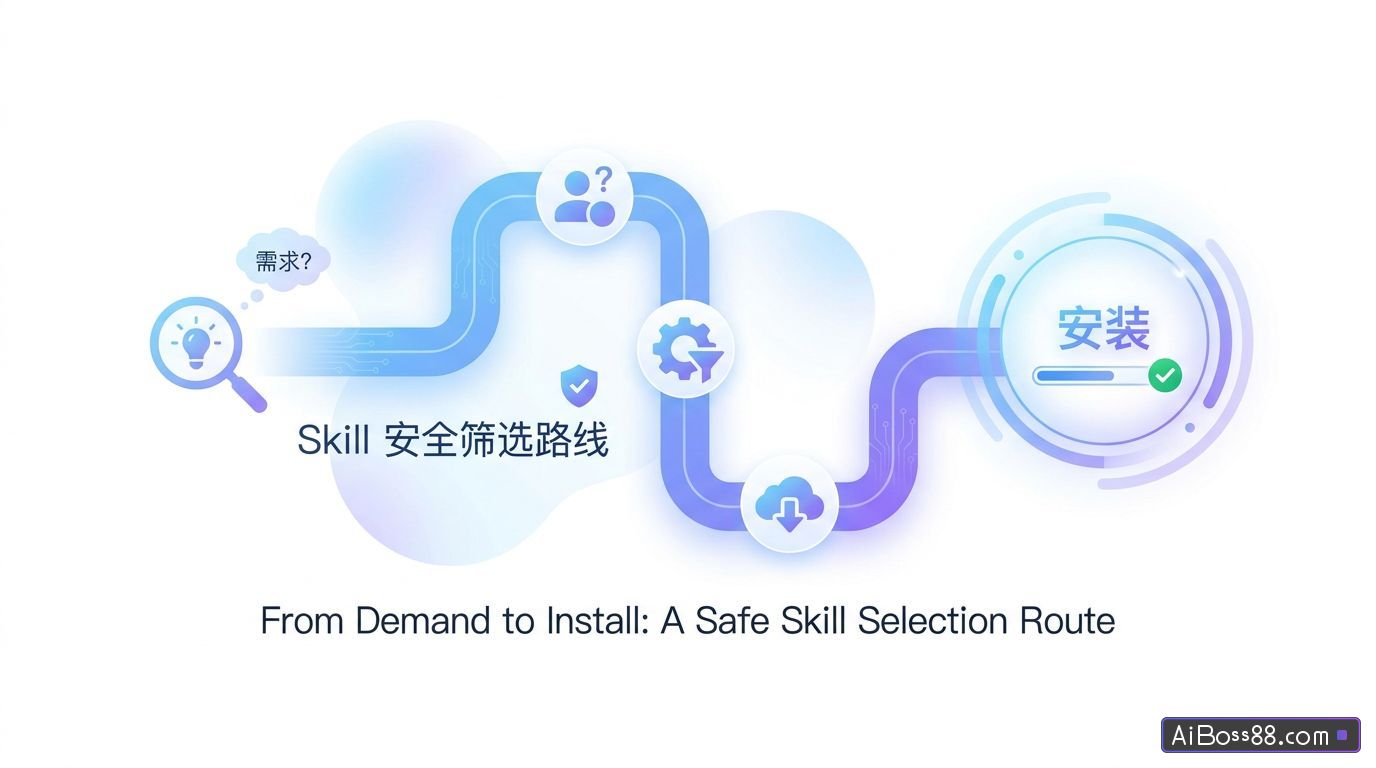
Your needs → English keywords → initial screening of skills.sh → supplementary search of agentskill.sh / SkillsMP / LobeHub → check the source → check the GitHub repository → determine before installation.
Let's break it down one by one.
Turn requirements into English keywords
The Skills ecosystem is currently dominated by English content. Searching directly in Chinese usually yields far fewer results.
For example, if you want to find a skill for "designing front-end pages", don't just search for "front-end design". Break down your needs into terms: frontend, web design, UI design, react. The more specific the terms, the closer the search results will be to your actual needs.
See the Skills.sh website
Skills.sh is Vercel The launch of open AI Agent Skill catalog and leaderboard; developers can install skills packaged in Markdown format using a single command. Claude Codemainstream Cursor and other similar technologies AI In the programming assistant.
Address: https://www.skills.sh/
Skills.sh contains leaderboards, installation counts, trending topics, and source information, making it useful for initial assessments: Are there any existing skills in a particular area? Which skills are used more frequently? From which repository do they come?
This mainly focuses on "popularity" and "direction," not a final conclusion. High installation volume only indicates that more people have tried the skill; it doesn't mean there are no risks, nor does it guarantee it's suitable for your scenario.
Skills.sh is suitable for the first round of screening, but it may not find suitable candidates on the first try.
agentskill.sh / SkillsMP These three sites—LobeHub, LobeHub, and LobeHub—can be used as supplementary search tools, each with a different focus.
01 agentskill.sh: View security and quality signals
Address: https://agentskill.sh/
It will give Skills a safety score and a quality score, and there is also a safety panel.
Scores are valuable, especially when comparing several similar skills together.
However, ratings should only be used as a reference. A high security score only indicates that no obvious problems have been found under the platform's scanning rules. Whether or not to use it ultimately depends on returning to the source repository and checking the SKILL.md, scripts/, and maintenance status.
02 SkillsMP: Perform a wide-range search
Address: https://skillsmp.com/
SkillsMP is more like a comprehensive online skills search engine, allowing you to search by keywords, profession, creator, or GitHub source.
The advantage is its wide coverage, but the cost is more complex results.
03 LobeHub Skills: Suitable for further browsing
Address: https://lobehub.com/skills
The LobeHub Skills page is easy to navigate, and the categories, trends, and recent updates are clearly presented.
However, it's also a collection of multiple sources. A skill appearing on LobeHub doesn't necessarily mean it's endorsed by LobeHub or any official organization. It also depends on which GitHub repository it points to.
If you have already found a candidate in skills.sh, search for the Skill name on other sites to see its source, rating, safety signals, and similar information;
If skills.sh doesn't find a suitable one, use the original keywords to search on other sites to see if there are any more suitable Skills.
The common goal of these sites is to help confirm choices or find more related skills.
To determine the reliability of a skill, examine the repository it originates from. For example, two search results, one from openai/skills and the other from an unknown personal repository, will certainly have different levels of credibility.
I usually determine the source in this order:
- Official organization account
- Official accounts of well-known projects / major companies
- Officially maintained community curated library
- Community warehouses with high installation volume and high star rating
- Ordinary personal warehouse
In general, you can first remember the following highly trusted official website resources:
OpenAI Skills OpenAI The official skill repository, suitable for viewing official examples and Codex Related Skills.
Address: https://github.com/openai/skills
Anthropic Skills : Anthropic's official Skill repository, suitable for viewing standard examples and general skills.
Address: https://github.com/anthropics/skills
Vercel Agent Skills Vercel Labs' Skills repository is a good place to start, especially for content related to front-end development, React, and web design.
Address: https://github.com/vercel-labs/agent-skills
GitHub Awesome Copilot This is a community-selected repository maintained by the official GitHub organization, suitable for finding Copilot-related agents, instructions, skills, and plugins.
Address: https://github.com/github/awesome-copilot
Verify the GitHub source files before installation.
Once you find a skill that seems suitable, don't rush to install it. Go to the GitHub repository and take a look.
First, read the instructions..
Pay close attention to SKILL.md and the description. SKILL.md will tell you what problem this skill solves, when it will be triggered, whether it depends on external tools, and whether there are any scripts.
The description is also crucial and determines... Agent When will this skill be invoked?
Second, look at the script.
If applicable, focus on scripts/, as they are not mandatory. If a skill is merely descriptive, the risk is relatively low. Like a document given to... Agent I read the job description.
However, if you see these things in the Skills section, you need to be careful: for example, running `bash`, `shell`, `python`, or `node` scripts, or creating a browser.automaticBrowser automation, file access, or other functions that require...API keycredentials such as ` and `token`.
This information does not necessarily mean that the skill is problematic. It simply indicates that this skill may execute code, access files, control the browser, or use account credentials.
Third, check the maintenance status.
Includes README, last update time, stars/forks/issues.
The README can show whether the author has carefully explained how to use it; the most recent update time can show whether it is still being maintained;
You can see if there are any genuine issues in the stars, forks, and issues.practicalUser feedback.
Verify the source and review SKILL.md and scripts/ before installing. Don't install scripts you can't understand into important projects.
In conclusion, finding a suitable and reliable skill, on the surface, is about finding an "add-on" that can help us write code, do design, and process documents. But thinking about it more deeply, it's actually... AI A lesson we all need to learn in this era:How to maintain clear judgment in an information explosion.
Install count, security rating, number of stars—these numbers can help us...fastWe can screen resources, but the final decision on whether to use them still rests with our own judgment. In an era where anyone can publish tools, the ability to discern what is truly reliable is becoming increasingly valuable.
when AI Lowering the threshold for "doing" to zero makes the wisdom of "selection" the watershed.
The patience required to carefully select a suitable tool is perhaps... AI The most irreplaceable competitive advantage that the times have left us is the most valuable asset.
Original link:How do I find the right skill? I've outlined the route; take it and use it.