
Google Gemma 4 Local Deployment Guide: Free for Mobile Phones, Macs, and OpenClaw
Google Gemma 4 Local Deployment Guide: Free for Mobile Phones, Macs, and OpenClaw
Recently, Google released the Gemma 4 series of open-source models, which includes four versions. It ranks third globally on the Arena AI open-source leaderboard, achieved an 89.2% score in the AIME 2026 math competition, and a 80.0% score on LiveCodeBench...
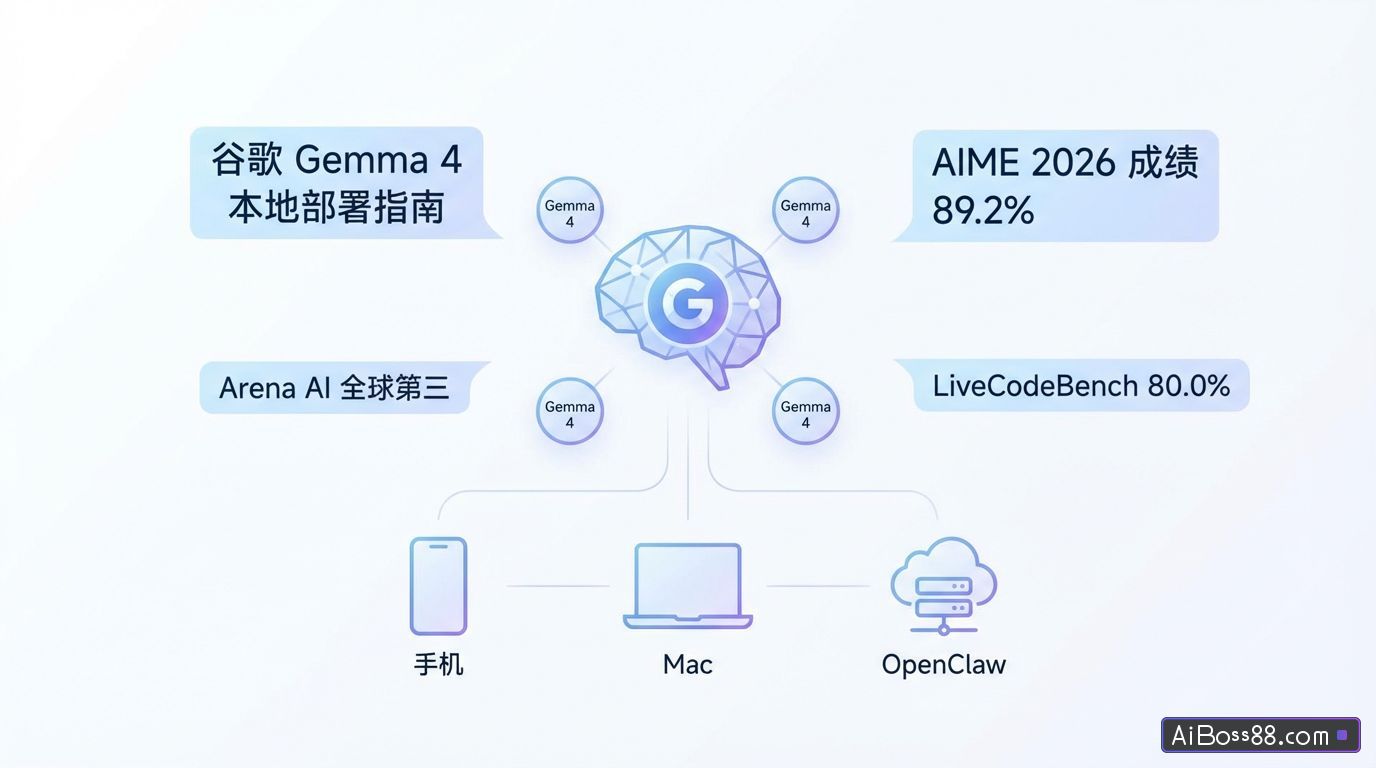
Not long ago, Google launchedopen sourceModel Gemma 4 The series has four versions in total.
Arena AI open sourceRanked third globally in math competitions AIME 2026 score: 89.2%, programming ability LiveCodeBench score: 80.0%.
Able to call tools, write code, and drive programsAgentIt's not just a chatbot; it supports local deployment.
Today, let's follow along with Sister Orange to learn how to locally deploy Gemma 4 on your phone and computer. Large Model,freeUsing Google Model Access OpenClaw .
Google launched Gemma 4 The model was also launched simultaneously with a product called Google AI Edge Gellery The app is an application that allows models to run locally on mobile devices. It can be downloaded directly from your phone's app store. All data is processed locally, without internet connection or cloud uploads.
After the download is complete, open the app, click "More" in the upper left corner, then click "Models" to display the downloadable models.
My phone model is 17 Pro 512GB. I was able to download the Gemma-4-E4B-it version, and it only took about 3 minutes to complete, which was quite fast.
The E4B version model supports text, image, and audio processing, such as selecting... AI Chat is a text-based dialogue. Select the E4B model you just downloaded to enter the dialogue. It supports multi-turn dialogue and thinking mode.
Similarly, if image recognition or analysis is required, select...Ask ImageIf you need speech transcription, translation, or summarization, choose Audio Scribe; if you need the model to call external tools, choose... Agent Skills Select the corresponding expansion capabilities.
Gemma 4 has four versions, but only E2B and E4B are suitable for mobile devices. .
Gemma 4 E2B versionSuitable for everyday conversation.SimpleLightweight tasks such as translation and basic image recognition.
Android system version 12 or above, at least 8GB of RAM, 10GB of storage space, and a Snapdragon 7 series/Dimensity 7000+ chip or equivalent performance.
The system version must be 16 or above, the device model must be iPhone 13 or above, and the storage space must be 10GB.
Gemma 4 E4B versionSuitable for tasks with high performance requirements, such as long document processing, complex image recognition, and deep dialogue.
The system must be Android version 14 or above, with at least 12GB of RAM, 20GB of storage, and a Snapdragon 8 series/Dimensity 9000+ chip or equivalent performance.
The system version must be 17 or above, the model must be iPhone 15 Pro or above, and the storage space must be 20GB.
We through Ollama This is the quickest and easiest way to deploy a Gemma 4 model.
01 Install OllamaVisit Ollama's official website: https://ollama.com/download
Download the installation package for your computer system. This will take approximately 30 minutes; please be patient.
After downloading, drag and drop the installation file, and you'll then see Ollama in Launchpad.
Open a terminal command prompt, enter the following command, and check the installation status. If the version is displayed, the installation is successful.
ollama --version
02 Select/Pull Model
Continue by entering the following command in the terminal to run Ollama and view the models. Alternatively, you can directly open Ollama in Launchpad to view all models.
Choose the option that best suits your device's memory capacity.Which version should I choose?
- With 8GB of RAM, choose E2B; approximately 5GB will be used, usable on mobile phones/old laptops.
- 16GB RAM with E4B memory will use approximately 9.6GB of RAM. For a smooth experience or to push the limits, try 26B MoE.
- With 24GB+ unified memory, choosing 26B MoE handles it without any problems, using approximately 18GB of RAM – the king of cost-effectiveness.
- 32GB+ RAM can handle 31B density, approximately 20GB usage, providing a flagship experience.
After making your selection, enter the command to download the model in the terminal (I'll use E2B as an example).
ollama run gemma4:e2b
The E2B model is approximately 7.2 GB. Please be patient while you wait; you can do something else in the meantime.
If Succsee is displayed and the >>> prompt appears, the download is complete. ✅
If you can get a normal response when you type "Who are you?", it means the deployment was successful.
You can also have conversations directly in Ollama.
The Gemma 4 series is the first version of the Apache 2.0 license that is compatible with the Apache 2.0 license.freeCommercial and native support for function calling allows for direct integration. AI AgentApple's MLX framework doubles inference speed on Macs, making it the optimal choice for users deploying local models. Users are no longer limited by API limits or concerned about data privacy.
Open a new terminal and enter the following command to start the configuration wizard. We will configure the Ollama model.
openclaw onboard
In the model configuration step, select: Custom Provider
Configure it according to the image below.
The final step is to give the model an alias for easy identification and memorization; leaving it blank won't affect anything. When choosing a name, be careful not to include spaces.
The subsequent configuration should follow the same options as when configuring OpenClaw previously. Finally, restart the gateway and select "Open the Web UI".
Talk to the crayfish and ask what model it is; if it replies, that's fine.
With various model vendors offering numerous coding plans, the most important aspect of deploying Lobster is connecting to the model brain, choosing a plan package (like Zhipu's plans, which are practically impossible to get), and configuring the model API. For ordinary people, this can indeed be quite costly.
For those still struggling to decide which plan to buy, or setting alarms to snag a Smart Spectrum plan, here's another option: deploy locally.freeThe Google model.
In the past, local models were either too weak or had too high a barrier to entry. After this experience, I feel it's worth trying, compared to previous attempts.SimpleThere are many more, and we have 24-hour online support. AIIf you have any questions, just ask. AI The strategist can usually handle most of these issues.
In the future, localLarge ModelWill it become a standard application on personal computers, just like office software is today?
Follow our official WeChat account and reply with the following code:Ollama",freeGet the installation package~
Original link:Get Google Gemma 4 at zero cost; installable on phones, computers, and OpenClaw.