
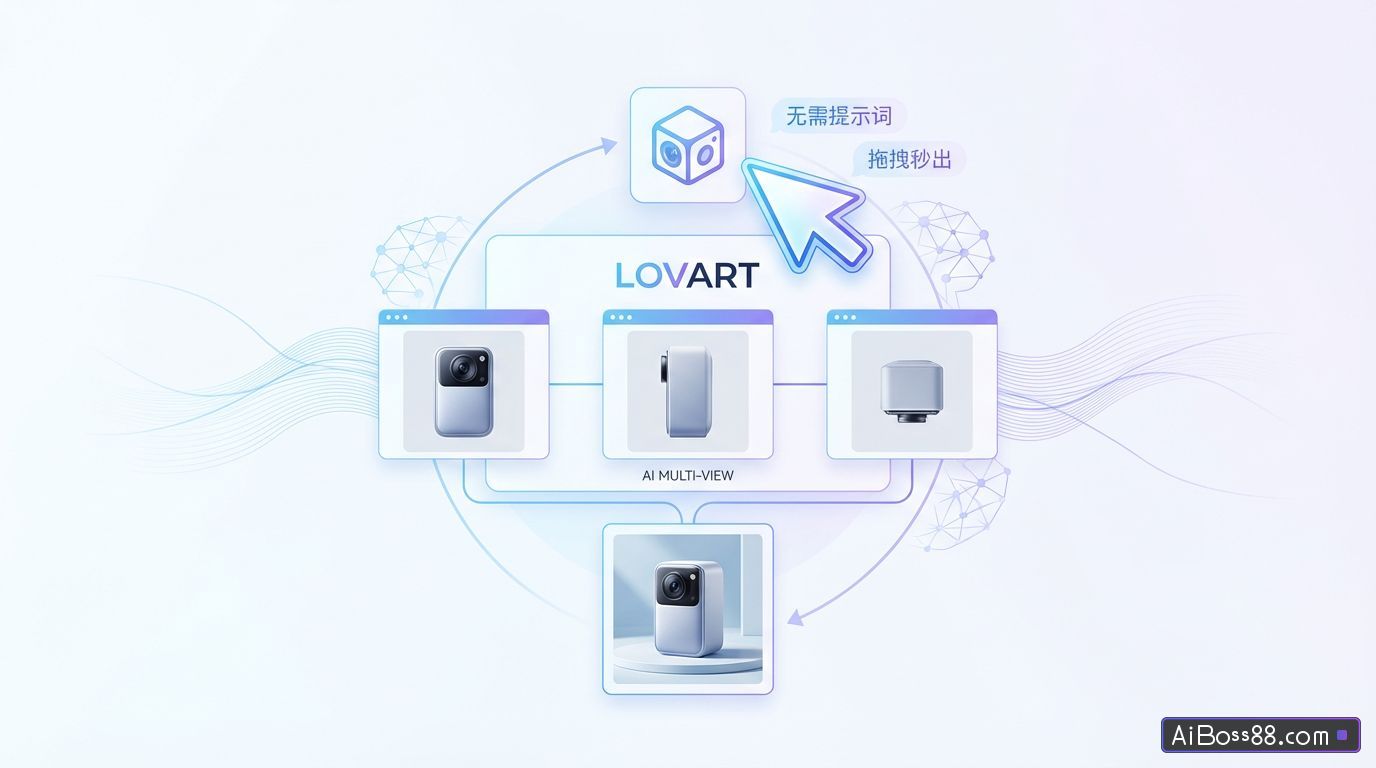
Lovart Multi-View Functionality Test - No prompts needed, drag and drop to instantly generate AI three-view images and e-commerce product images
Lovart Multi-View Functionality Test - No prompts needed, drag and drop to instantly generate AI three-view images and e-commerce product images
The most frequently asked question is still, "What can AI do?" With the goal of helping everyone truly utilize AI, I surf the internet every day—and recently, while browsing X, I discovered that Lovart has added some great stuff!
The most frequently asked question is still...AIWhat can it do?
With the aim of helping everyone...AIThe real goal is to surf the internet every day.
I recently discovered that Lovart has added some great stuff to X!
In Lovart's infinite canvas, any image can be viewed by simply clicking the mouse, allowing you to switch between various perspectives such as eye level, top view, side view, close-up, and more..
AI It has begun to go beyond simply generating two-dimensional images.SimpleInstead, they were able to truly understand the three-dimensional spatial relationships behind the image.
Let's first experience the stunning effect of the official demonstration:
Did you notice? You don't need to rack your brains to write the whole thing.Prompt wordsCard drawing. We just need to play it like a 3D game.SimpleBy dragging and rotating the main image or adjusting the virtual camera, the perspective can be switched smoothly.
With a simple click of the mouse, the multi-view character rendering technique, a nightmare for concept artists, can be generated in seconds.:
For e-commerce design, multi-angle product displays can be achieved in minutes..
generate AI The different shot sizes and camera angles in the comic book storyboard are also handled with precision.:
It is no exaggeration to say thatLovart put AI The "lens control" of unedited photos has been placed in everyone's hands..
Without further ado, let's test and experience Lovart's new features together in this article!
We will create a new project in Lovart.
Official websitehttps://www.lovart.ai
In the infinite canvas, we can select any image, which can be one just generated using Lovart or a photo we uploaded ourselves.
After selecting the image, simply click the "New Feature" button above:Multi-Angle.
Lovart provides two extremely simple operating modes here:
Main mode
In subject mode, our image appears to be pasted onto one face of a 3D cube. We can drag the cube with the mouse to change the angle of the subject in the image – what you see is what you get!
This might sound a bit abstract, but watching this video will make it clear:
When the image side of the cube is facing us, that is our current perspective.
If we turn the image face down, we generate a top-down view; if we push the image upwards, we generate a bottom-up view. (Both top and bottom views are based on the current image.)
You don't need to understand perspective, and you don't need to write.Prompt wordsCreate numerous images from a single 2D map, all for just 2 points each time!
What's most impressive is that the consistency between the characters and the scenes is maintained very well.
The viewing angle can be adjusted to a wide range, supporting left and right rotation of ±90° and vertical tilt of -30° to ±60°.
While adjusting the viewing angle, it also supports zooming to generate close-up or wide-angle shots.
With multi-view functionality, use AI Creating three-view drawings no longer requires navigating complex workflows; a few mouse clicks are all it takes.
Camera mode
We select the image on the canvas and choose the multi-view function. This time, let's try switching to camera mode.
In camera mode, there's a small sphere. The original image is the center of the sphere, and we can control the virtual camera to move across the surface of the sphere, just like taking photos from different angles of the original image.~
Let's test this with an indoor overhead view:
We can rotate the virtual camera, and Lovart can...automaticImagine more perspectives of the living room.
Multi-view functionality is an efficiency powerhouse in e-commerce scenarios.
Previously, shooting a single product required manually setting up the lighting, backdrop, and finding the right angles, taking up most of the day. Now, we provide a product image, and Lovart can directly generate product images from various angles by moving a virtual camera. The quality is virtually indistinguishable from the actual product photos. With so many perspectives and close-up shots, it only takes a few minutes!
The multi-angle generation of real-life scene images is also very useful. In the past, after shooting a main image, if you wanted to add a side or overhead angle, you often had to rearrange the model and location, which was time-consuming and expensive.
Now, if we have a decent base image, Lovart can immediately expand it to produce the multi-camera footage we need.
What's even more surprising is that Lovart maintains a high degree of consistency even in complex scenes with multiple characters in the same frame. The characters' positions, clothing details, height differences, and the scene remain stable throughout the camera's perspective.
This is for doing AI For creators of comics, comic books, and film storyboards, this is absolutely a game-changer!
Previously, to ensure continuity for a character across different storyboards, a lot of time was spent repeatedly setting up and adjusting the background images. Now?With just a simple drag and drop, you can instantly create multiple camera angles (close-up, medium shot, wide shot) for a single frame..
(In addition to drag-and-drop operations, both subject mode and camera mode support direct input of parameter values.This satisfies the obsessive-compulsive designer's need for precise control over the visual perspective.
Along with the multi-angle update, there's another essential feature that directly addresses designers' pain points—vectorization.
In the past we used AI The most frustrating problem when designing a logo is that it generates a PNG image, which can become blurry in certain scenarios.
Therefore, we often use AI After generating the logo image, you still need to find a way to convert the image into SVG format. Now, Lovart has launched an image-to-vector conversion function.
After generating the logo image, click on the image and select the vector function.
One-clickConvert images to SVG and export them, then you can zoom in and out without worrying about them becoming blurry!
Since its closed beta launch last May, Lovart has truly surprised us many times and has been steadily progressing. AI The design is moving towards a more mature workflow.
For example, the previous TTouch Edit (Precise Editing),Edit Elements,AI Change characterThese features have been greatly enhanced. AI The post-production retouching capabilities allow us to refine the images just like using traditional design tools. We can continue adjusting details and... AI The generated results are then refined step by step into truly usable commercial-grade design works.
The newly launched "multi-angle switching" and "One-clickThe "vectorization" function uses the same underlying logic..
Complex visual creations are inherently difficult to accomplish using linear chat boxes, and Lovart has consistently addressed this issue. While continuously lowering the barrier to entry, Lovart also continuously improves the controllability and delivery value of the results, allowing... AI Designs became more accurate and commercially viable, completely opening up new possibilities. AI The "last mile" of the design process.
As more and more technological barriers are eliminated, our aesthetic judgment, storytelling ability, and brand awareness become the scarcer values.
In the future, design competition won't necessarily be about who's better at using software or who understands parameters better. More importantly, it will be about who can leverage [the technology] faster and more accurately. AI Realize your ideas in a simplified way on the canvas.
Let's try it out together!https://www.lovart.ai
Original link:get through AI Designing the "last mile": Real-world testing of Lovart's new multi-view + vectorization features!